01LINUX NATIVE (.APPIMAGE & .TAR.GZ) · WORDCRAFT v0.9.0
UBUNTU · FEDORA · ARCH · DEBIAN · NO WINE · REPLACES MICROSOFT WORD
WordCraft per Linux — Sostituto nativo di Microsoft Word senza Wine
Esegui WordCraft v0.9.0 nativamente su Ubuntu, Fedora e Arch senza Wine (.docx, .doc, .odt, .rtf, .md, .tex).
WordCraft v0.9.0 — Screenshot nativo reale
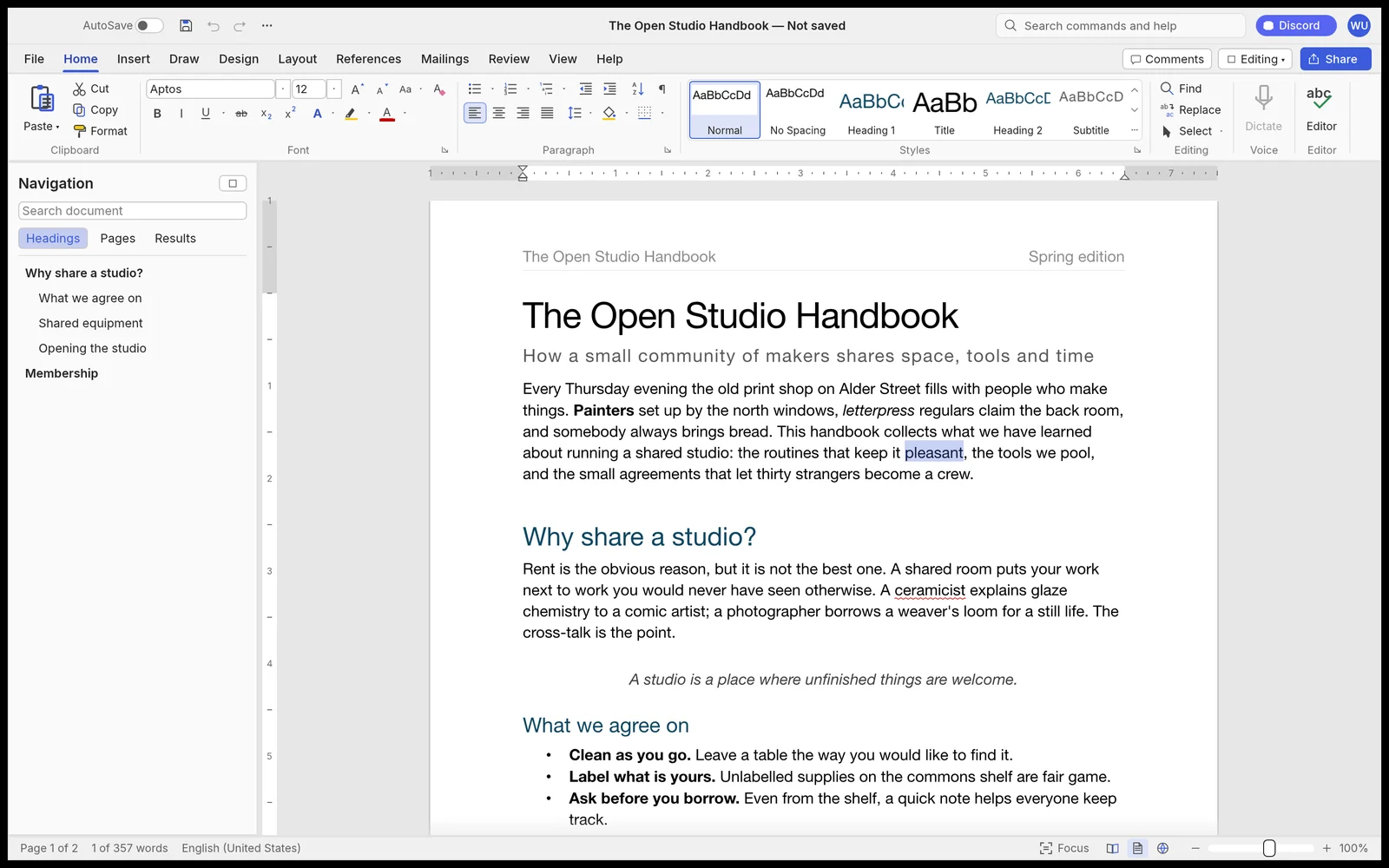
Funziona al 100% in locale tramite WebAssembly — nessun file viene caricato online.82 MB RUST · 110 MB RAM
02VULKAN WAYLAND / X11 & DISTRO COMMANDS
WordCraft v0.9.0 Native Linux Capabilities
- ✓Motore GPU Rust + wgpu DirectX 12 / Vulkan al posto di Microsoft Word ($99/anno)
- ✓Apre .docx, .doc, .odt, .rtf, .md, .tex nativamente ed esporta .docx, .pdf, .html, .epub, .md, .txt senza filigrane
- ✓Binario Windows 10/11 leggerissimo da 82 MB (~110 MB di RAM a riposo)
- ✓100% offline — zero account cloud, zero telemetria e zero servizi nascosti
- ✓CLI integrata e server MCP locale per automazione con agenti IA
Esecuzione Vulkan nativa su Linux senza Wine
Binari ELF Linux nativi (Wayland & X11). Usa .tar.gz su Ubuntu 22.04/24.04 senza libfuse2 o rendi eseguibile .AppImage:
# Zero-FUSE Portable .tar.gz (Ubuntu 22.04/24.04, Debian, Fedora, Arch)
tar -xzf wordcraft-0.9.0-linux-x86_64.tar.gz
./wordcraft-0.9.0-linux-x86_64/bin/wordcraft
Formats: .docx, .doc, .odt, .rtf, .md, .tex → Export: .docx, .pdf, .html, .epub, .md, .txt
03FAQ
Serve Wine per usare WordCraft su Linux?
No, WordCraft è compilato nativamente per Linux con Vulkan, Wayland e X11.
Cosa fare se .AppImage non parte su Ubuntu 24.04?
Scarica l’archivio .tar.gz portatile che non richiede libfuse2.