01MACOS UNIVERSAL .DMG · FIGCRAFT v0.9.0
APPLE SILICON (M1–M4) & INTEL · REPLACES FIGMA ($180/YR)
FigCraft per macOS — Alternativa nativa gratuita a Figma su Mac
Scarica FigCraft v0.9.0 Universal .DMG per macOS. Sostituto open-source gratuito di Figma (.figcraft, .svg, .json).
FigCraft v0.9.0 — Screenshot nativo reale
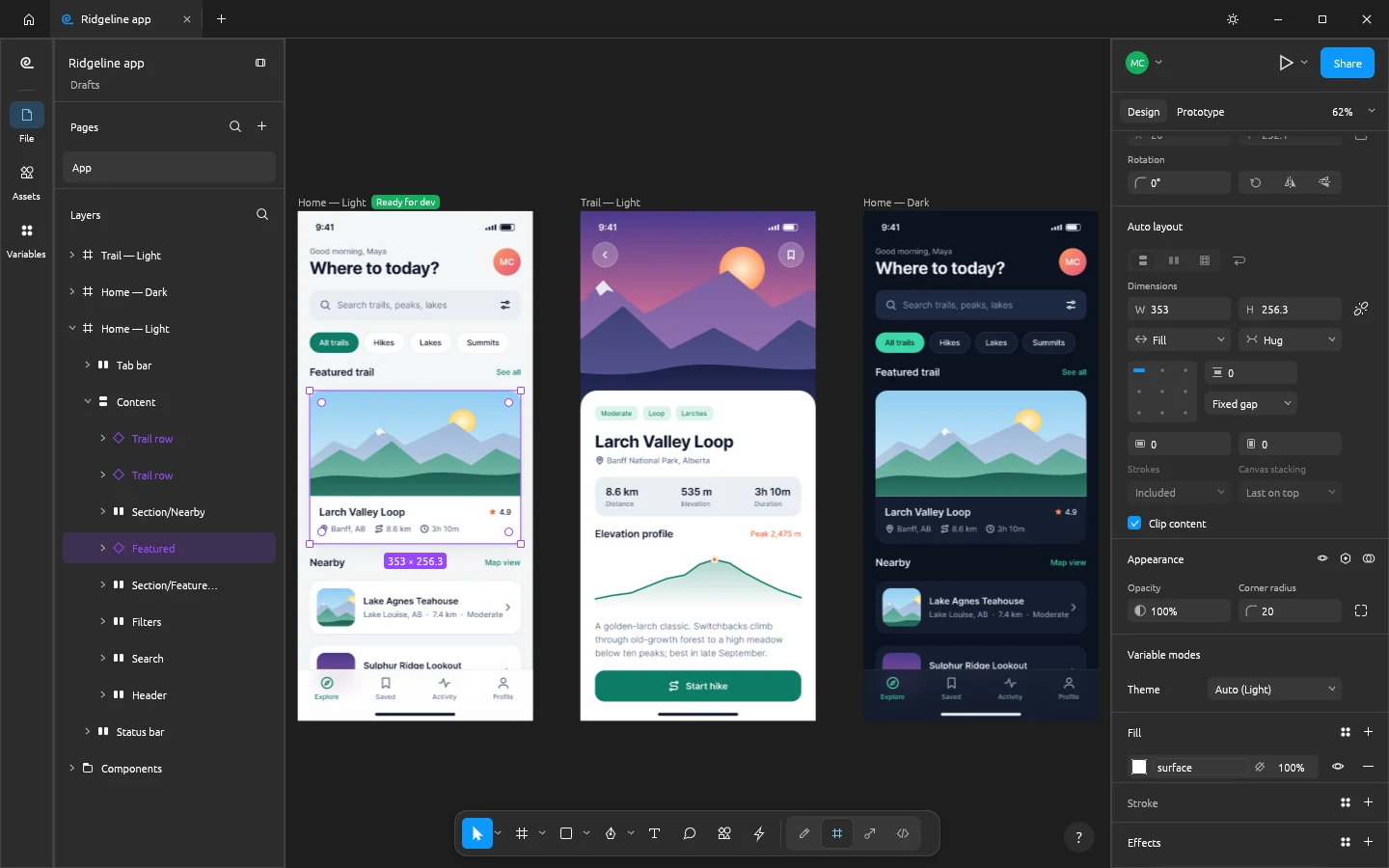
Funziona al 100% in locale tramite WebAssembly — nessun file viene caricato online.46 MB RUST · 120 MB RAM
02APPLE METAL & FORMAT SUPPORT
FigCraft v0.9.0 on macOS 12–15
- ✓Motore GPU Rust + wgpu DirectX 12 / Vulkan al posto di Figma ($180/anno)
- ✓Apre .figcraft, .svg, .json nativamente ed esporta .svg, .png, .webp, .pdf, .css, .tsx senza filigrane
- ✓Binario Windows 10/11 leggerissimo da 46 MB (~120 MB di RAM a riposo)
- ✓100% offline — zero account cloud, zero telemetria e zero servizi nascosti
- ✓CLI integrata e server MCP locale per automazione con agenti IA
Primo avvio su macOS (M1–M4 & Intel)
Apri il .DMG, trascina ArteCraft.app in /Applications ed esegui se richiesto da Gatekeeper:
# macOS Terminal (M1/M2/M3/M4 & Intel)
xattr -cr /Applications/FigCraft.app
open -a /Applications/FigCraft.app
Formats: .figcraft, .svg, .json → Export: .svg, .png, .webp, .pdf, .css, .tsx
03FAQ
FigCraft gira nativamente su Mac M1, M2, M3 e M4?
Sì, include codice ARM64 nativo e GPU Apple Metal.
Come sbloccare l’avviso Gatekeeper su Mac?
Tasto destro → Apri oppure xattr -cr /Applications/ArteCraft.app nel Terminale.