01MACOS UNIVERSAL .DMG · WORDCRAFT v0.9.0
APPLE SILICON (M1–M4) & INTEL · REPLACES MICROSOFT WORD ($99/YR)
WordCraft für macOS — Native Microsoft Word Alternative auf Apple Silicon & Intel
WordCraft v0.9.0 Universal .DMG für macOS laden. Kostenloser nativer Microsoft Word-Ersatz mit Apple Metal und Offline-Support für .docx, .doc, .odt, .rtf, .md, .tex.
WordCraft v0.9.0 — Echter Programm-Screenshot
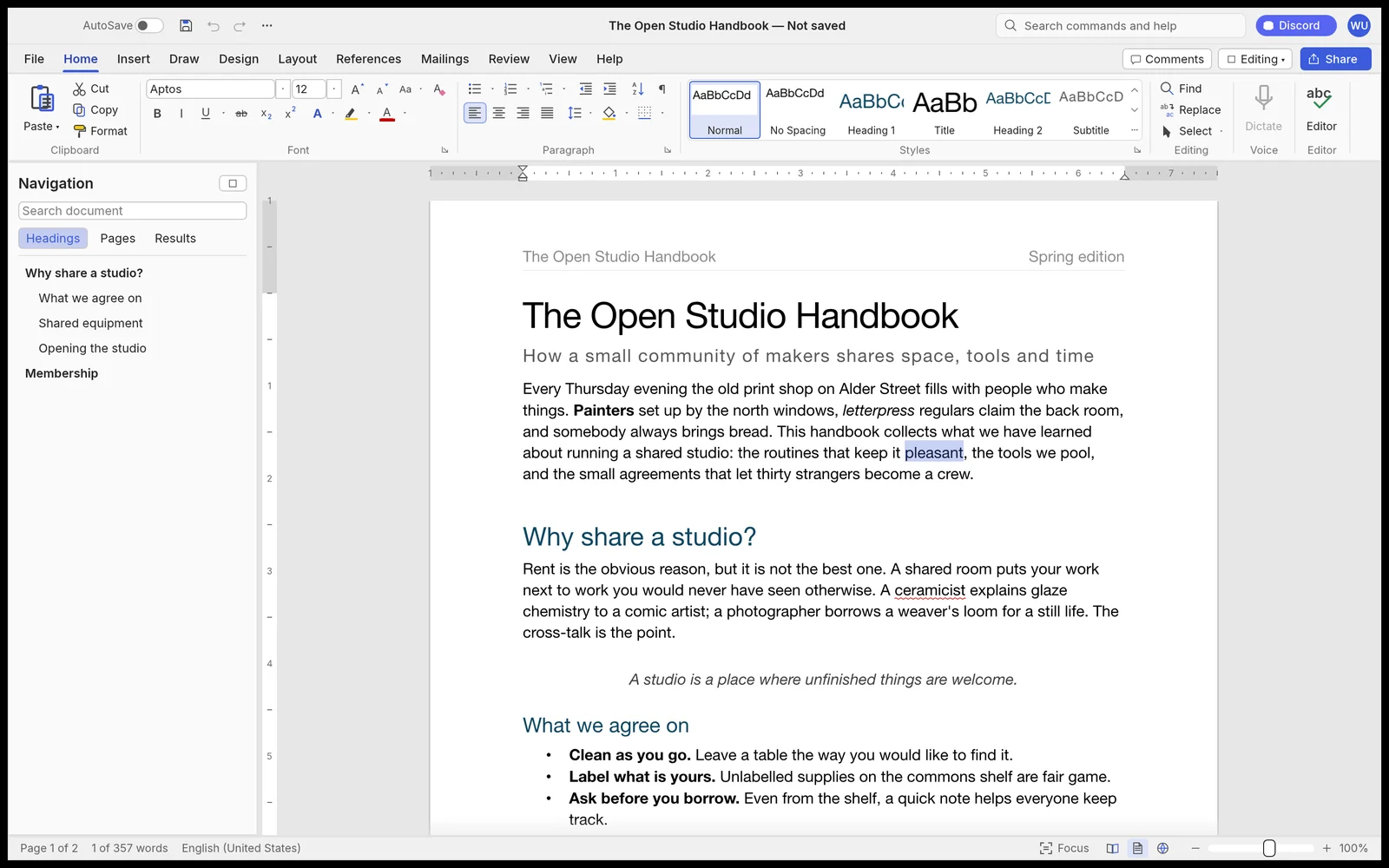
Läuft zu 100 % lokal per WebAssembly – keine Datei verlässt Ihren Computer.82 MB RUST · 110 MB RAM
02APPLE METAL & FORMAT SUPPORT
WordCraft v0.9.0 on macOS 12–15
- ✓Native Rust + wgpu DirectX 12 & Vulkan GPU-Engine als Ersatz für Microsoft Word ($99/Jahr)
- ✓Öffnet .docx, .doc, .odt, .rtf, .md, .tex direkt und exportiert saubere .docx, .pdf, .html, .epub, .md, .txt-Dateien ohne Wasserzeichen
- ✓Ultrakompakte 82 MB Windows-10/11-Anwendung mit nur ~110 MB RAM im Leerlauf
- ✓100 % Offline-Betrieb — kein Cloud-Zwang, keine Telemetrie, keine Hintergrunddienste
- ✓Integrierte CLI & lokaler MCP-Server für automatisierte KI-Batch-Workflows
Erster Start unter macOS (M1–M4 & Intel)
.DMG öffnen, ArteCraft.app nach /Applications ziehen und bei Gatekeeper-Hinweis einmalig im Terminal freigeben:
# macOS Terminal (M1/M2/M3/M4 & Intel)
xattr -cr /Applications/WordCraft.app
open -a /Applications/WordCraft.app
Formats: .docx, .doc, .odt, .rtf, .md, .tex → Export: .docx, .pdf, .html, .epub, .md, .txt
03FAQ
Läuft WordCraft nativ auf Apple Silicon M1–M4?
Ja, als Universal Binary mit nativem ARM64-Code und Apple Metal GPU-Beschleunigung.
Wie öffne ich das .DMG bei macOS Gatekeeper?
Rechtsklick → Öffnen oder einmalig xattr -cr /Applications/ArteCraft.app im Terminal ausführen.