01MACOS UNIVERSAL .DMG · LIGHTCRAFT v0.11.0
APPLE SILICON (M1–M4) & INTEL · REPLACES ADOBE LIGHTROOM ($120/YR)
LightCraft para macOS — Alternativa nativa gratuita a Adobe Lightroom en Mac
Descarga LightCraft v0.11.0 Universal .DMG para macOS. Reemplazo gratuito de código abierto para Adobe Lightroom con soporte nativo .cr3, .cr2, .nef, .arw, .raf, .dng, .orf, .rw2.
LightCraft v0.11.0 — Captura nativa real
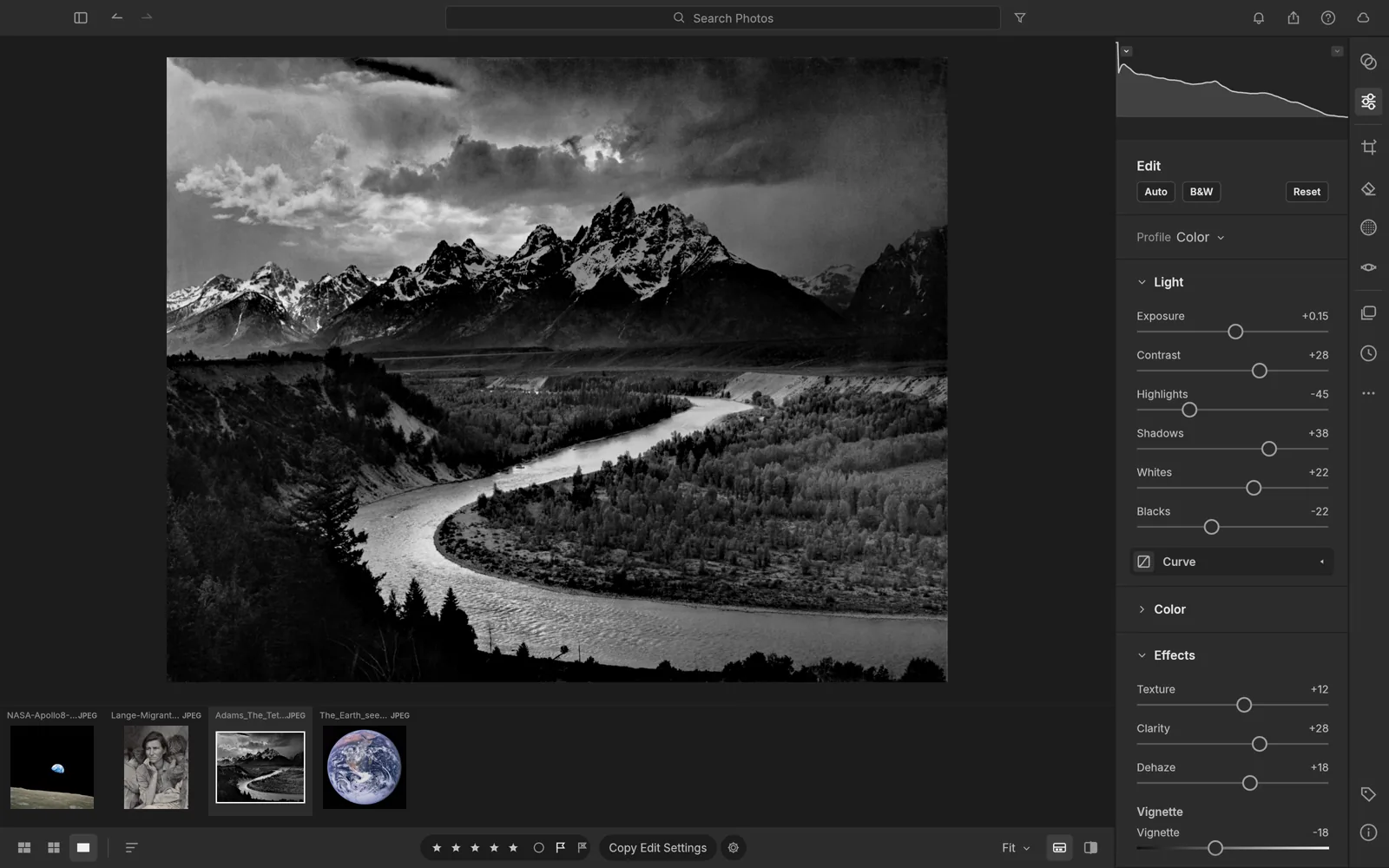
Corre 100% en tu equipo vía WebAssembly — ningún archivo se sube a servidores externos.52 MB RUST · 160 MB RAM
02APPLE METAL & FORMAT SUPPORT
LightCraft v0.11.0 on macOS 12–15
- ✓Motor GPU Rust + wgpu DirectX 12 / Vulkan que reemplaza a Adobe Lightroom ($120/año)
- ✓Abre .cr3, .cr2, .nef, .arw, .raf, .dng, .orf, .rw2 de forma nativa y exporta .jpg, .tiff, .png, .webp, .dng, .avif sin marcas de agua
- ✓Binario portátil de 52 MB para Windows 10/11 (~160 MB de RAM en reposo)
- ✓100 % sin conexión — sin cuentas, sin telemetría y sin procesos en segundo plano
- ✓CLI integrada y servidor MCP local para automatización con agentes de IA
Primer inicio en macOS (Apple Silicon e Intel)
Abre el .DMG, arrastra ArteCraft.app a /Applications y limpia la cuarentena de Gatekeeper si macOS lo solicita:
# macOS Terminal (M1/M2/M3/M4 & Intel)
xattr -cr /Applications/LightCraft.app
open -a /Applications/LightCraft.app
Formats: .cr3, .cr2, .nef, .arw, .raf, .dng, .orf, .rw2 → Export: .jpg, .tiff, .png, .webp, .dng, .avif
03FAQ
¿Funciona LightCraft de forma nativa en chips Apple M1, M2, M3 y M4?
Sí, incluye código ARM64 nativo y gráficos Apple Metal sin depender de Rosetta.
¿Cómo abrir la app si aparece el aviso de Gatekeeper en Mac?
Haz clic derecho → Abrir o ejecuta xattr -cr /Applications/ArteCraft.app en Terminal.