01Adobe Photoshop → PhotoCraft
Best Free Open-Source Adobe Photoshop Alternative (2026): Meet PhotoCraft
16-bit GPU photo editor with 307/309 .PSD layer fidelity, .ABR brushes, .ATN actions, and CMYK proofing.
PhotoCraft v0.12.0 — Authentic Native Capture
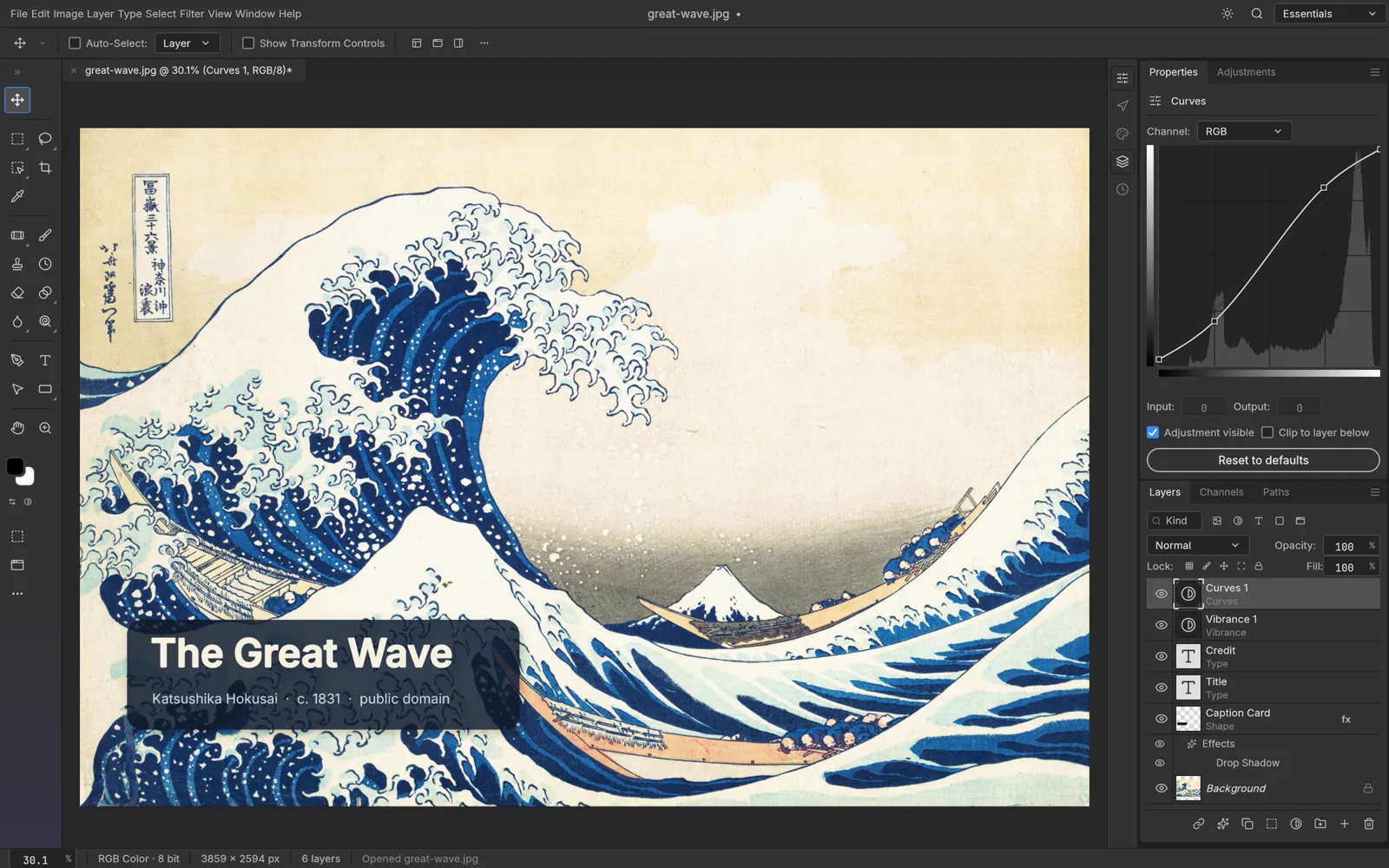
Runs 100% on your device via WebAssembly — zero files uploaded to any server.56 MB RUST · 145 MB RAM
02Why Creators Switch
Free Adobe Photoshop Alternative
Stop paying $276/year for Adobe Photoshop. PhotoCraft v0.12.0 is a clean-room native Rust replacement for Windows 10/11 and Browser WebAssembly that opens .psd, .psb, .abr, .atn, .kra, .xcf locally with zero accounts or cloud lock-in.
- ▪ Cloud Generative Fill / Expand is excluded (100% offline clean-room engine)
- ▪ Third-party C++ .8bf Photoshop plug-ins are not binary-compatible yet
PhotoCraft v0.12.0 (76%)
- +True layered PSD & PSB read/write (8, 16, and 32-bit RGB, CMYK, Lab)
- +Identical Photoshop keyboard shortcuts, menus, and 67 studio tools
- +16 non-destructive adjustment layers, clipping masks, smart objects & 27 blend modes
- +Loads Photoshop .abr brushes and plays .atn automated actions natively
- +Built-in 500+ command CLI & MCP server for Claude Code and AI agents
03Frequently Asked Questions
Can I use ArteCraft apps commercially at work or for client projects?
Yes. Dual MIT / Apache-2.0 open-source licensing grants unrestricted commercial use in studios, agencies, universities, and businesses.
Does ArteCraft.exe require Windows Administrator rights or install background services?
No. ArteCraft.exe (7.4 MB) runs portably in user space (%LOCALAPPDATA%\ArteCraft\Apps or your custom folder) with zero background telemetry.
OPEN FORMATS WITHOUT Adobe Photoshop:.PSD / .PSB →.ABR / .ATN →.CR3 / .NEF / .ARW / .DNG →.AI / .EPS →