01Figma → FigCraft
Best Free Open-Source Figma Alternative (2026): Meet FigCraft
Local-first offline UI/UX prototyping tool with auto-layout frames, variants, and CSS/Tailwind inspect.
FigCraft v0.9.0 — Authentic Native Capture
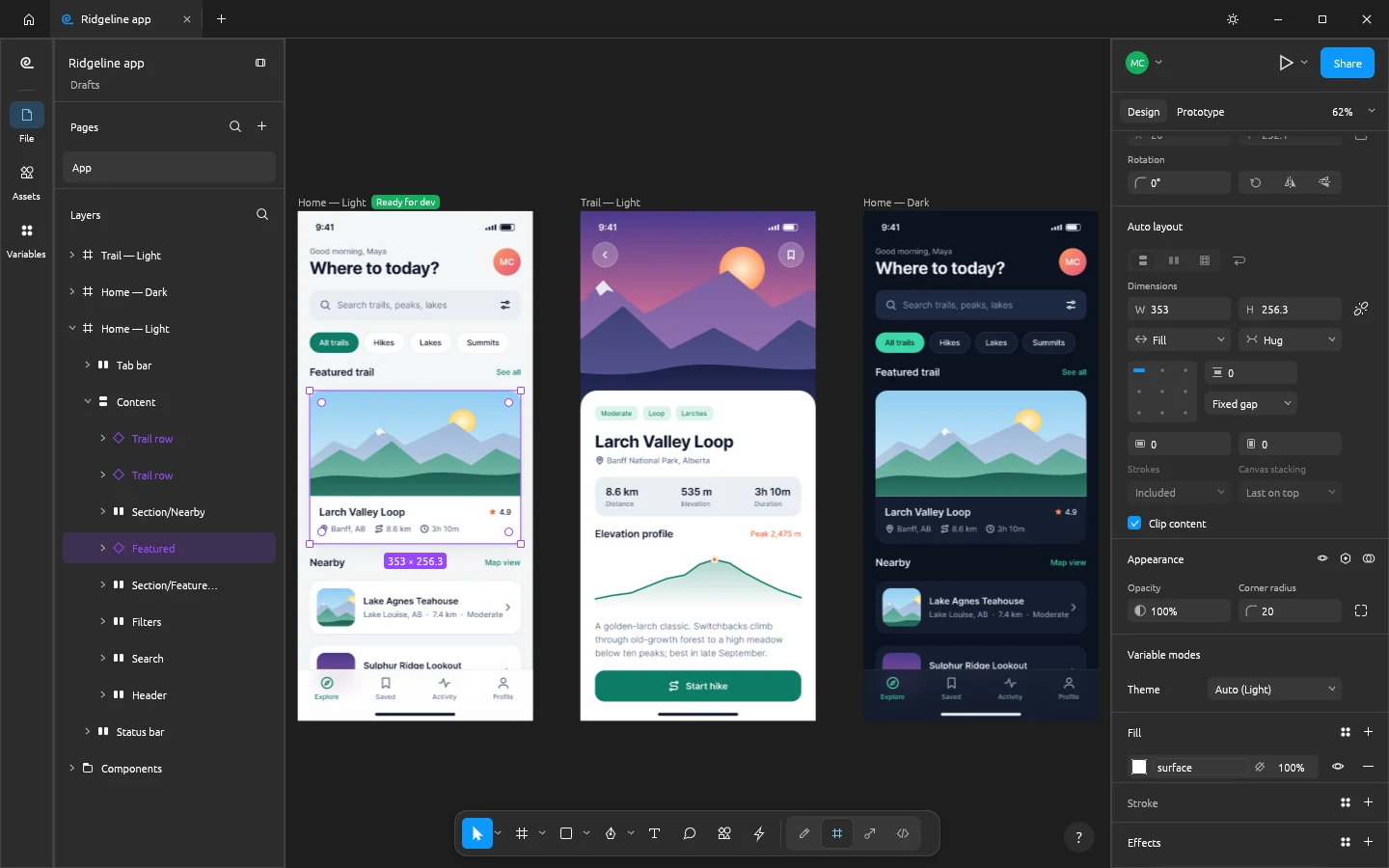
Runs 100% on your device via WebAssembly — zero files uploaded to any server.46 MB RUST · 120 MB RAM
02Why Creators Switch
Free Figma Alternative
Stop paying $180/year for Figma. FigCraft v0.9.0 is a clean-room native Rust replacement for Windows 10/11 and Browser WebAssembly that opens .figcraft, .svg, .json locally with zero accounts or cloud lock-in.
- ▪ Closed proprietary .fig binary import requires SVG/JSON bridge
- ▪ Multiplayer cursor presence is optional local LAN/Git rather than hosted cloud
FigCraft v0.9.0 (70%)
- +Frames, Auto Layout, reusable Components & Variants, design tokens, and interactive prototypes
- +100% local & offline native Rust app — no per-seat Dev Mode paywalls or cloud lock-in
- +Infinite 120 FPS GPU canvas handling 50,000+ UI layers without browser tab RAM crashes
- +Built-in bidirectional MCP bridge: Claude Code / Cursor can inspect and generate UI frames live
- +Clean React/Tailwind & CSS code inspection out of the box
03Frequently Asked Questions
Can I use ArteCraft apps commercially at work or for client projects?
Yes. Dual MIT / Apache-2.0 open-source licensing grants unrestricted commercial use in studios, agencies, universities, and businesses.
Does ArteCraft.exe require Windows Administrator rights or install background services?
No. ArteCraft.exe (7.4 MB) runs portably in user space (%LOCALAPPDATA%\ArteCraft\Apps or your custom folder) with zero background telemetry.