01OFFLINE PSD WORKFLOW
OFFLINE PSD WORKFLOW
Photopea Offline Desktop Alternative — Native GPU, Zero Ads, 16-Bit .PSD.
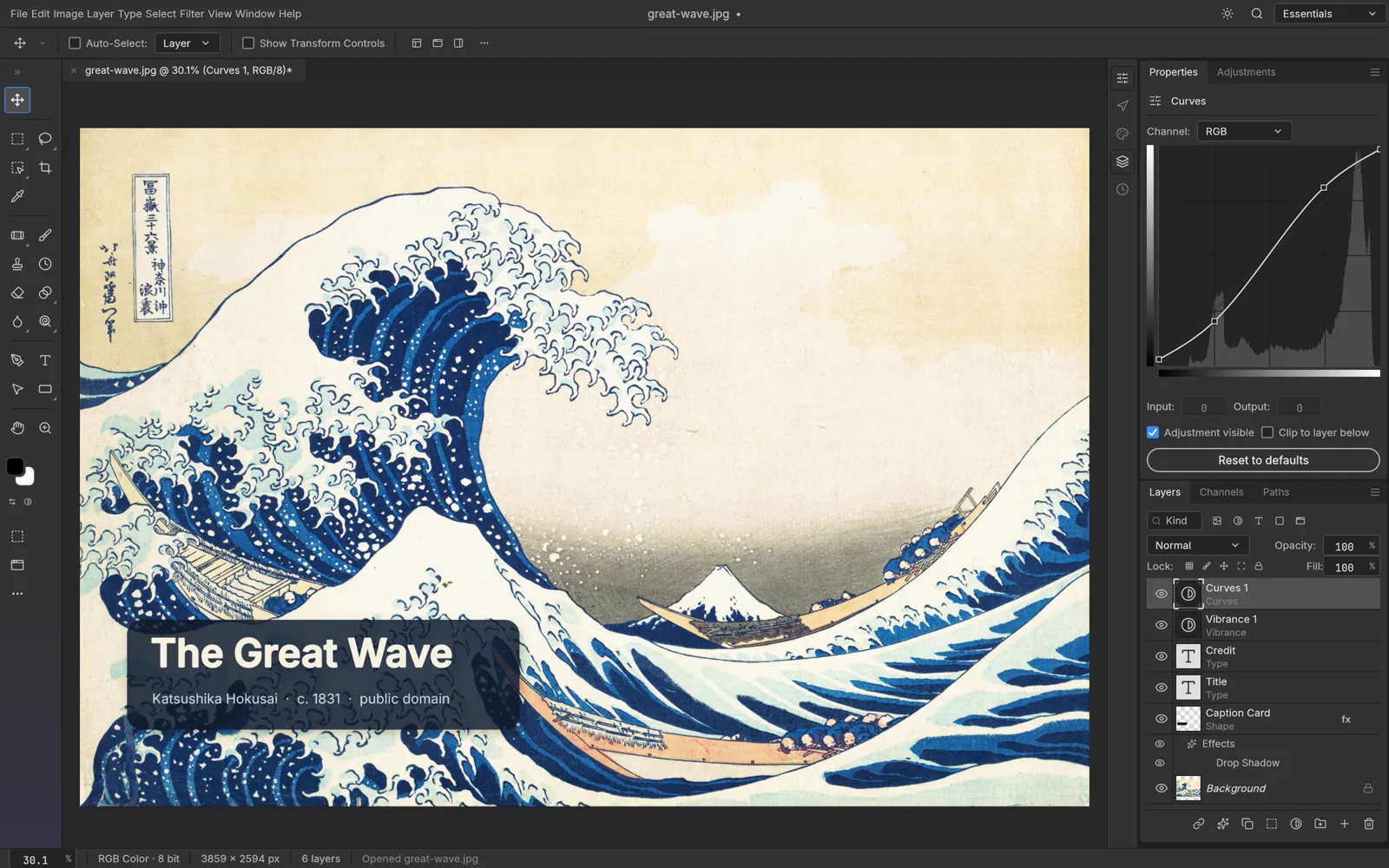
Love how Photopea opens .PSD files, but tired of browser RAM limits, sidebar ads, and sluggish 16-bit RAW brushes? PhotoCraft gives you a true 24 MB native Rust desktop studio.
02Why Creators Switch
LEGACY SUBSCRIPTION PAIN
Browser tabs cap WebGL memory, display distracting ad banners, and lag on large 2GB+ .PSB composites.
ARTECRAFT NATIVE RUST + WASM
PhotoCraft runs natively on Windows 10/11 DirectX 12 & Vulkan with zero ads, full disk scratch performance, and 307/309 PSD compatibility.
| BENCHMARK | LEGACY / CLOUD TOOLS | ARTECRAFT (WINDOWS & WASM) |
|---|---|---|
| Execution Engine | Browser JS/WASM Tab + Ad Scripts | ✓ Native Rust + WGPU Desktop Binary (24 MB) |
| Ad Banners / Subscription | Ad-supported or Paid Account | ✓ $0 Forever · Zero Ads · MIT/Apache-2.0 |
| Large .PSB & 16-Bit RAW | Browser Tab Out-of-Memory Limit | ✓ Direct Hardware VRAM & NVMe Streaming |
03Included Native Rust Studios
PhotoCraft
Free alternative to Adobe Photoshop · 56 MB
16-bit GPU photo editor with 307/309 .PSD layer fidelity, .ABR brushes, .ATN actions, and CMYK proofing.
LightCraft
Free alternative to Adobe Lightroom · 52 MB
Non-destructive 32-bit Camera RAW (.CR3, .NEF, .ARW, .DNG) darkroom on local folders — zero cloud.
VectorCraft
Free alternative to Adobe Illustrator · 49 MB
Precision .SVG, .AI & .EPS vector studio with cubic Bezier tools, Booleans, and CMYK separations.
04Frequently Asked Questions
Does PhotoCraft use the same keyboard shortcuts as Photoshop and Photopea?
Yes — V (Move), B (Brush), M (Marquee), L (Lasso), C (Crop), P (Pen), T (Type), Ctrl+J, and Ctrl+T work immediately.