01.IDML / PDF-X4 · InDesign Markup Layout
FREE OFFLINE .IDML / PDF-X4 STUDIO · DESIGNCRAFT v0.11.0
Windows 10/11 (ArteCraft.exe 7.4 MB) · Browser WebAssembly · 54 MB Native Rust
Open InDesign .IDML & Publish Print Books Free With DesignCraft.
Book designers, zine publishers, and agencies get locked into InDesign forever just to open archived .IDML layouts and export press-ready PDF/X-4.
DesignCraft v0.11.0 — Authentic Native Capture
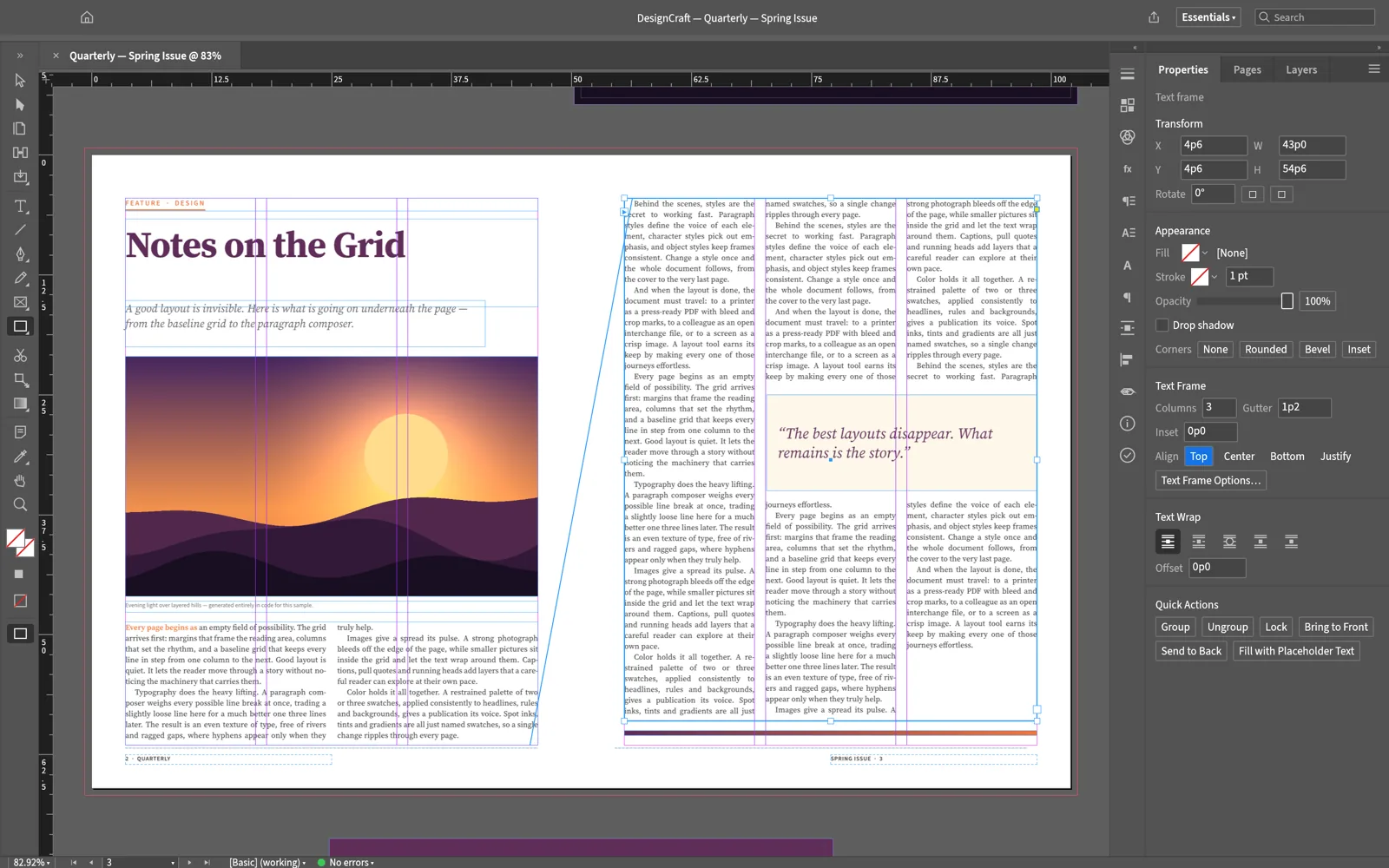
Runs 100% on your device via WebAssembly — zero files uploaded to any server.54 MB RUST · 130 MB RAM
02How to Open & Edit .IDML / PDF-X4
STEP 01
Install DesignCraft (21 MB)
Part of the unified ArteCraft Desktop Launcher.
STEP 02
Import .IDML layouts or create multi-column spreads
Link local high-res TIFF/PSD assets without bloated file sizes.
STEP 03
Export print-shop PDF/X-4 with trim & bleed marks
Ready for commercial offset or digital printing.
Format Compatibility — .IDML / PDF-X4
- ✓Imports Adobe InDesign .IDML multi-page spreads, master pages, and threaded frames
- ✓Optical margin alignment, baseline grids, OpenType ligatures, and hyphenation
- ✓Press-ready PDF/X-4 export with bleed, slug, and crop marks
03Frequently Asked Questions
Can DesignCraft handle 200+ page book manuscripts?
Yes, threaded text frames, automatic page numbering, running headers, and table of contents generation scale cleanly.