01.CR3 / .NEF / .ARW / .DNG · Camera RAW Sensor Files
FREE OFFLINE .CR3 / .NEF / .ARW / .DNG STUDIO · LIGHTCRAFT v0.11.0
Windows 10/11 (ArteCraft.exe 7.4 MB) · Browser WebAssembly · 52 MB Native Rust
Develop Camera RAW (.CR3, .NEF, .ARW, .DNG) Free Offline.
Windows laptops often struggle with fast batch RAW culling, while Adobe Lightroom pushes photographers into recurring cloud storage upgrades.
LightCraft v0.11.0 — Authentic Native Capture
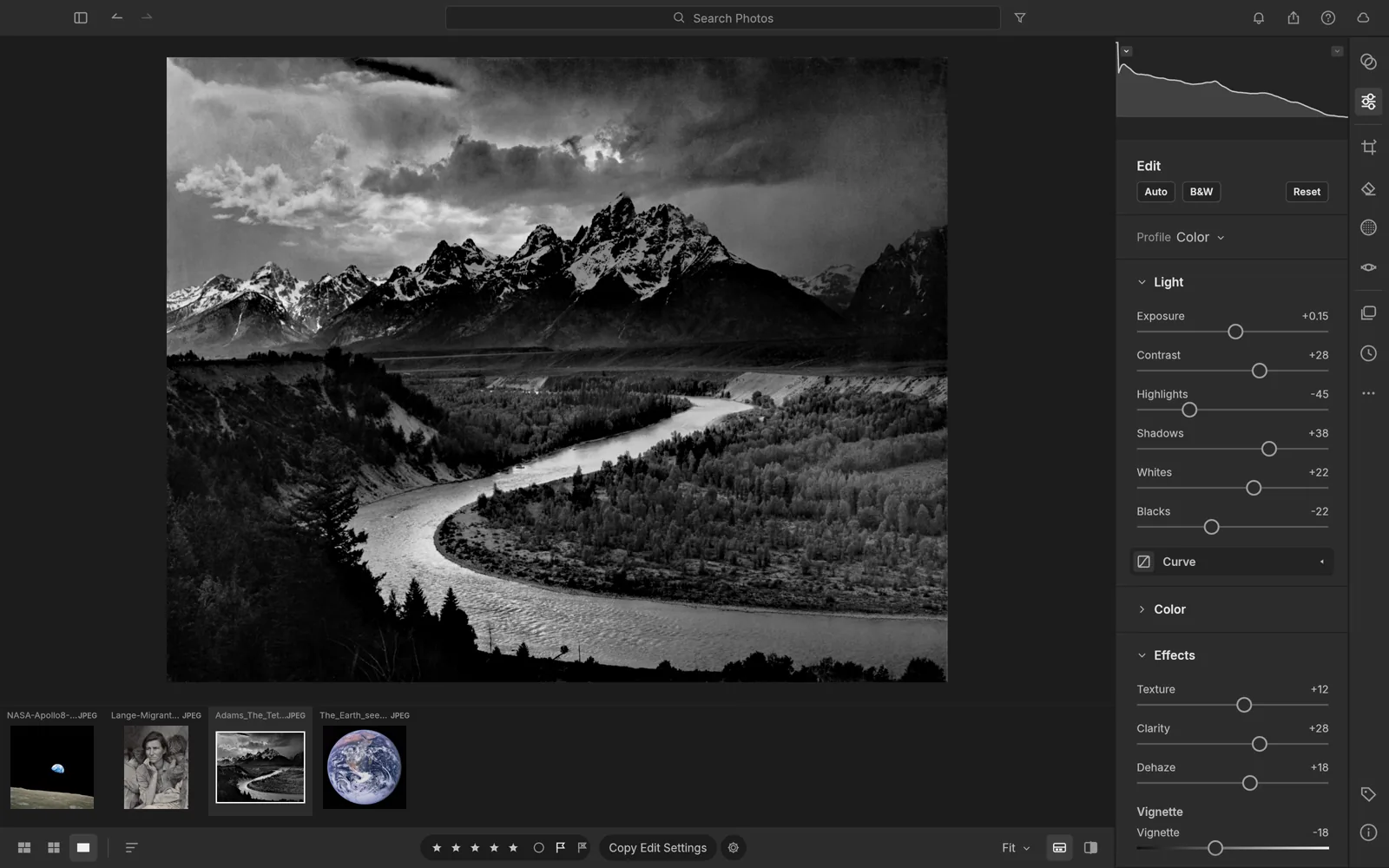
Runs 100% on your device via WebAssembly — zero files uploaded to any server.52 MB RUST · 160 MB RAM
02How to Open & Edit .CR3 / .NEF / .ARW / .DNG
STEP 01
Point LightCraft at any SD card or SSD folder
Browse thousands of RAW frames at 120 FPS with zero cloud upload.
STEP 02
Grade exposure, white balance, HSL & optical lens profiles
All adjustments stay non-destructive in lightweight sidecar metadata.
STEP 03
Batch export full-res JPEG, 16-bit TIFF, or AVIF
Hardware multithreading exports hundreds of wedding or studio shots in minutes.
Format Compatibility — .CR3 / .NEF / .ARW / .DNG
- ✓32-bit floating-point demosaicing for Canon .CR3, Nikon .NEF, Sony .ARW, Fujifilm .RAF, and .DNG
- ✓Direct local folder browsing — zero mandatory catalog import lock-in
- ✓Non-destructive sidecar edits, highlight recovery, tone curves, and .CUBE LUTs
- ✓Instant handoff to PhotoCraft for pixel-level .PSD retouching
03Frequently Asked Questions
Does LightCraft support Canon CR3 and Sony ARW uncompressed/compressed RAW?
Yes, LightCraft decodes modern mirrorless RAW sensors locally using a pure-Rust 32-bit color pipeline.
Related Workflows: