01.SVG · Scalable Vector Graphics
FREE OFFLINE .SVG STUDIO · VECTORCRAFT v0.14.0
Windows 10/11 (ArteCraft.exe 7.4 MB) · Browser WebAssembly · 49 MB Native Rust
Clean Native Desktop .SVG Editor for UI, Icons & Illustration.
Legacy vector tools bloat .SVG files with megabytes of proprietary XML junk, while browser tools lag on complex maps and technical illustrations.
VectorCraft v0.14.0 — Authentic Native Capture
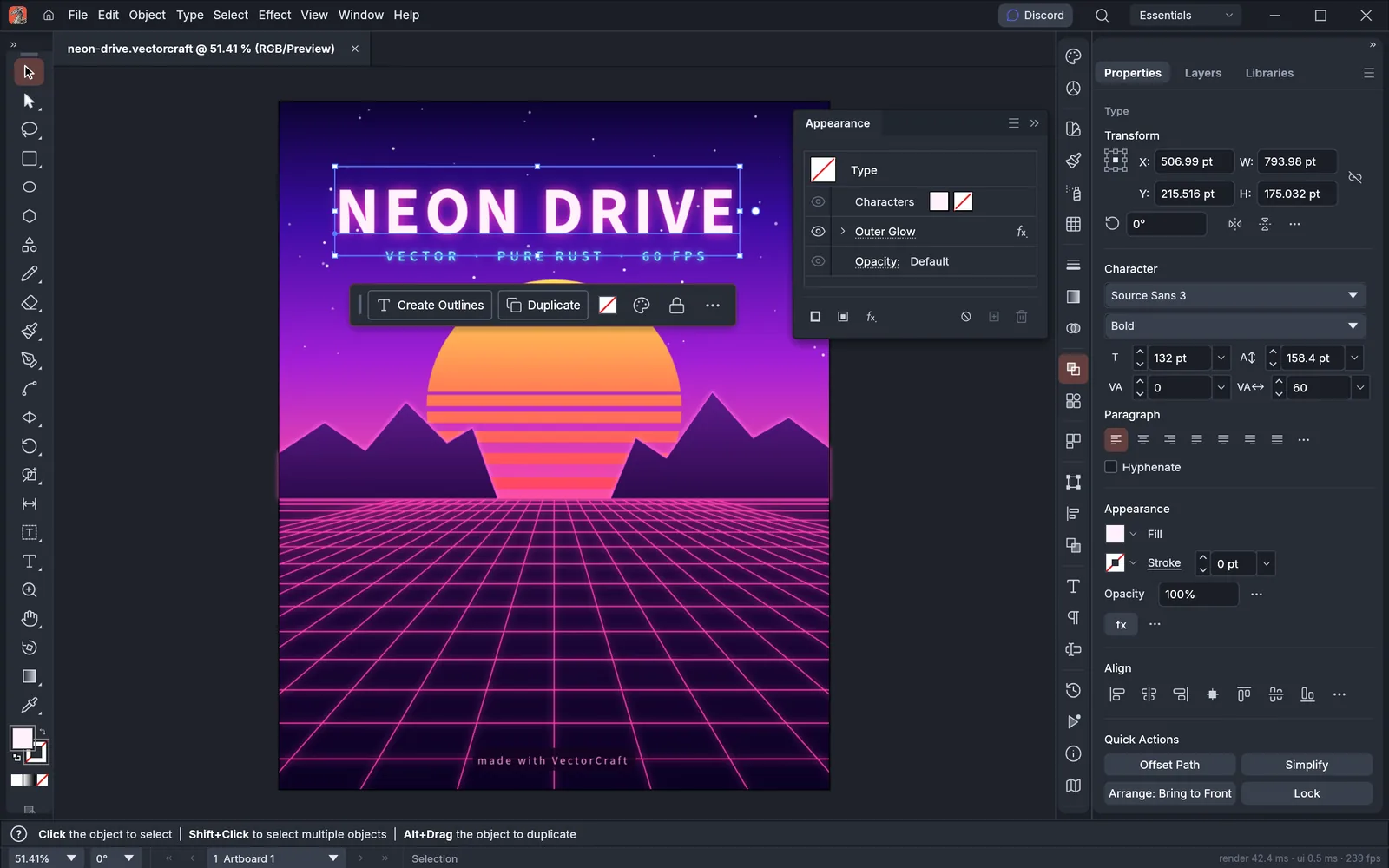
Runs 100% on your device via WebAssembly — zero files uploaded to any server.49 MB RUST · 125 MB RAM
02How to Open & Edit .SVG
STEP 01
Open VectorCraft or FigCraft
Both apps read and write crisp W3C-compliant SVG DOM.
STEP 02
Edit paths with Boolean operations & smart guides
Non-destructive corner radii and live stroke outlines.
STEP 03
Copy clean inline SVG code directly to clipboard
Zero bloated namespace garbage.
Format Compatibility — .SVG
- ✓Writes ultra-clean, minified, human-readable .SVG markup ready for React/Web
- ✓120 FPS WGPU pan and zoom across 50,000+ vector anchor nodes
- ✓Pixel-grid snapping for razor-sharp 16px/24px/32px icon systems
03Frequently Asked Questions
Is VectorCraft faster than Inkscape on Windows 10 and Windows 11?
Yes — VectorCraft renders directly on DirectX 12 and Vulkan via WGPU on Windows 10/11 instead of legacy single-threaded CPU GTK canvases.
Related Workflows: