01.AI / .EPS · Adobe Illustrator Vector Artwork
FREE OFFLINE .AI / .EPS STUDIO · VECTORCRAFT v0.14.0
Windows 10/11 (ArteCraft.exe 7.4 MB) · Browser WebAssembly · 49 MB Native Rust
Open .AI & .EPS Vector Logos Free Without Adobe Illustrator.
Designers, print shops, and developers constantly receive brand logos in .AI or .EPS format and hit Adobe’s $275/year paywall just to export an SVG or tweak a CMYK color.
VectorCraft v0.14.0 — Authentic Native Capture
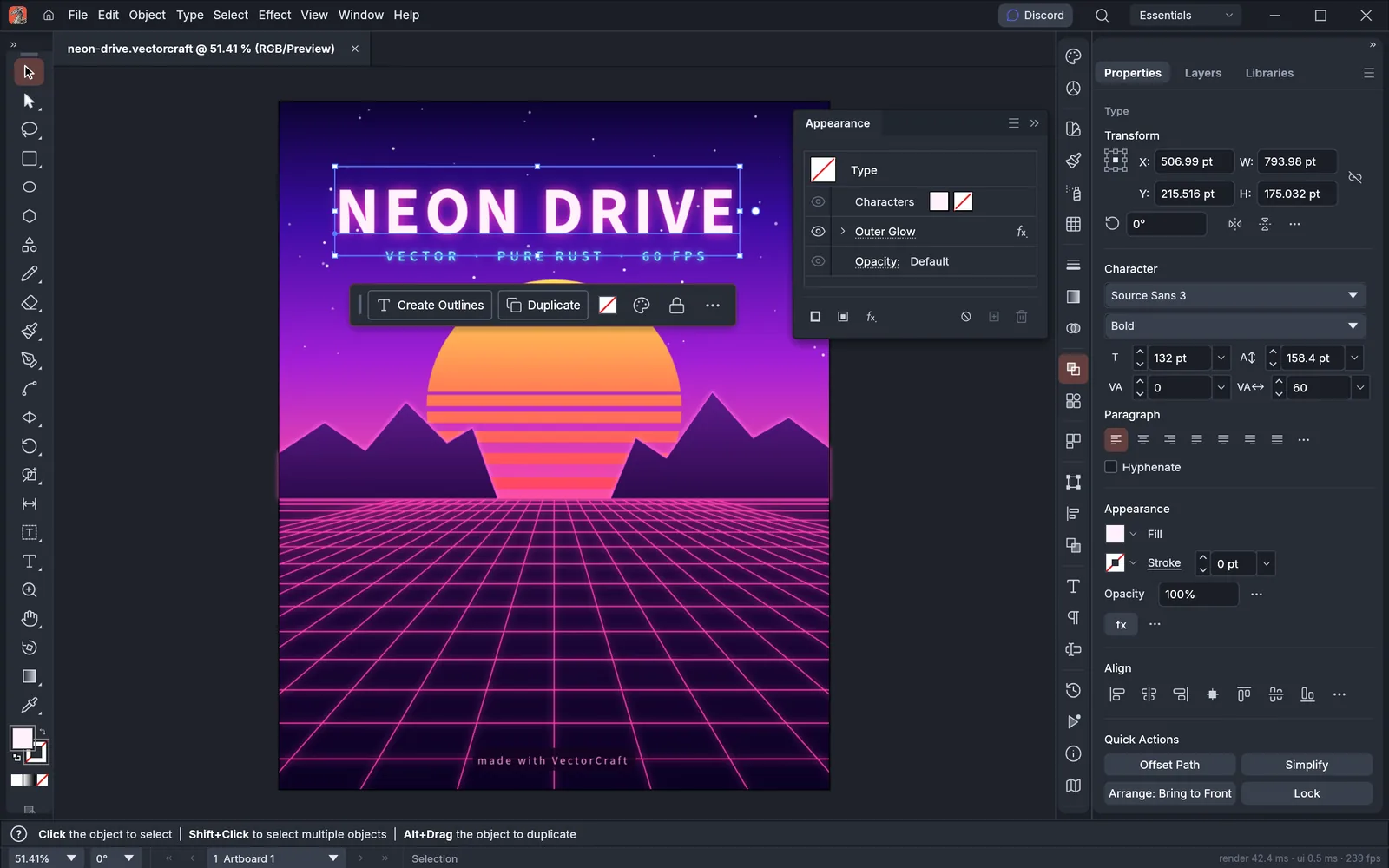
Runs 100% on your device via WebAssembly — zero files uploaded to any server.49 MB RUST · 125 MB RAM
02How to Open & Edit .AI / .EPS
STEP 01
Install VectorCraft (20 MB)
Native GPU vector engine compiled in Rust.
STEP 02
Drop .AI, .EPS, or .SVG brand assets onto the artboard
Inspect anchor nodes, compound paths, gradients, and artboards.
STEP 03
Export production-clean .SVG, .PDF, .EPS, or PNG
Ideal for web developers, print prepress, and brand designers.
Format Compatibility — .AI / .EPS
- ✓Opens PDF-compatible .AI, PostScript .EPS, and .SVG vector artwork natively
- ✓Precision cubic Bezier pen tool, Boolean pathfinder unions, and multi-artboard workflows
- ✓CMYK print separations, Pantone-style spot swatches, and crisp SVG/PDF export
03Frequently Asked Questions
Does VectorCraft support CMYK export for commercial print shops?
Yes, VectorCraft supports both sRGB/Display-P3 digital workflows and CMYK print PDF/EPS output.
Related Workflows: