01.PSD / .PSB · Adobe Photoshop Layered Document
FREE OFFLINE .PSD / .PSB STUDIO · PHOTOCRAFT v0.12.0
Windows 10/11 (ArteCraft.exe 7.4 MB) · Browser WebAssembly · 56 MB Native Rust
Open & Edit .PSD Files Free Without Adobe Photoshop.
Receiving a layered client .PSD or multi-gigabyte .PSB file should not force you into a $275/year Creative Cloud contract or an ad-cluttered browser tab that chokes on 16-bit layers.
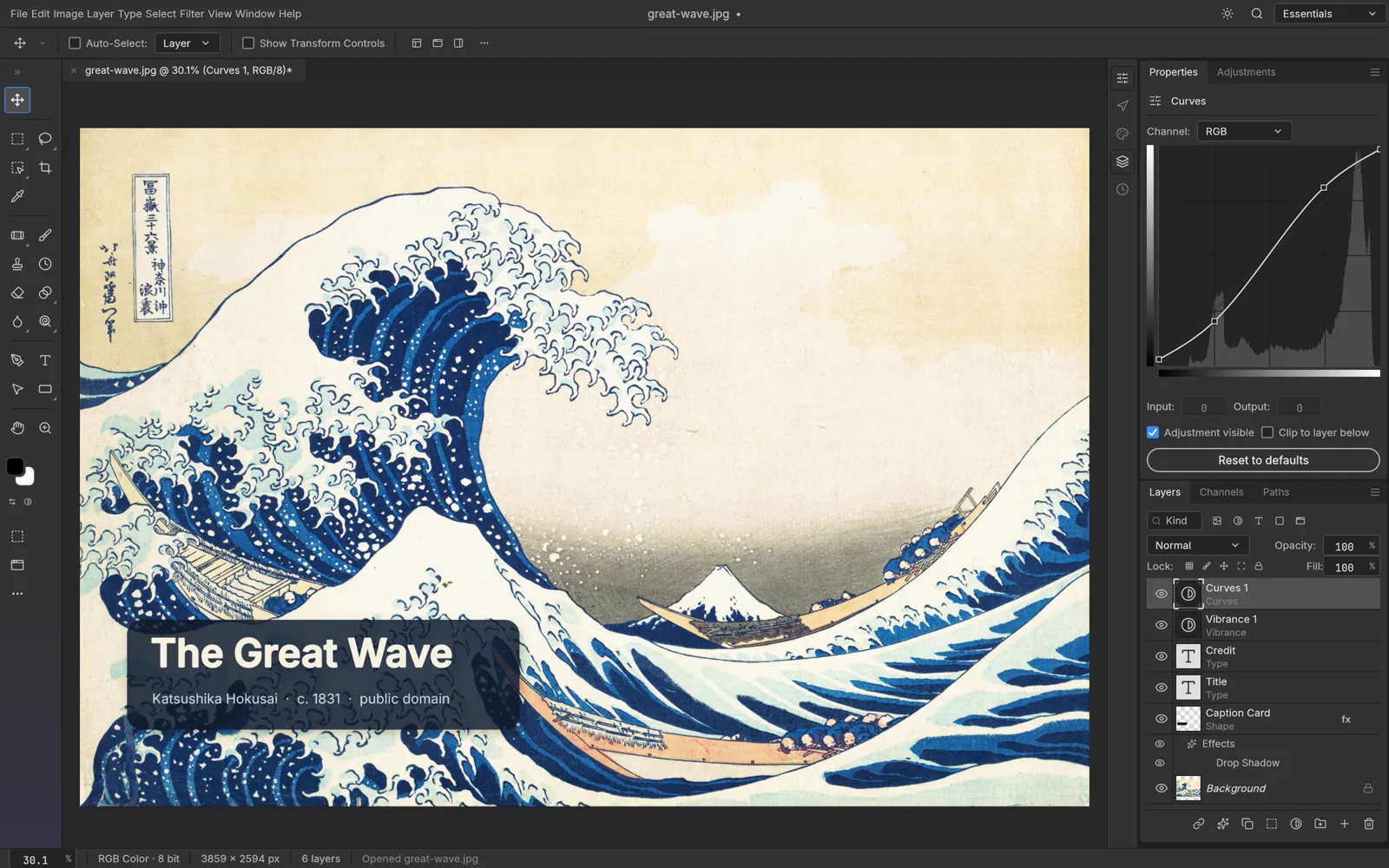
02How to Open & Edit .PSD / .PSB
Install PhotoCraft via ArteCraft Launcher (24 MB)
Download the native Rust installer for Windows 10 & Windows 11 (or launch instantly in Browser WebAssembly) — zero account required.
Drop any .PSD or .PSB directly onto the GPU canvas
All layer groups, adjustment curves, masks, and blend modes parse locally in milliseconds.
Edit non-destructively & export .PSD, PNG, WebP, AVIF, or TIFF
Round-trip files straight back to Photoshop colleagues with layer structure intact.
Format Compatibility — .PSD / .PSB
- ✓307 / 309 automated PSD binary round-trip fixtures passing
- ✓Preserves Smart Objects, clipping masks, blend modes, and editable text runs
- ✓Full 8-bit, 16-bit, and 32-bit HDR float channel depth on native WGPU
- ✓Saves back to clean .PSD without flattening or proprietary lock-in
03Frequently Asked Questions
Can PhotoCraft edit text layers inside an existing .PSD file?
Yes. Editable typography layers, kerning, tracking, blend modes, and layer masks inside .PSD documents remain live and editable when system or project fonts are present.
Does opening a .PSD upload my image to a cloud server?
Never. PhotoCraft is a native desktop binary compiled in Rust — your .PSD and .PSB files never leave your local drive.
Related Workflows: