01.MP4 / .MOV / PRORES · 4K Digital Video Containers
FREE OFFLINE .MP4 / .MOV / PRORES STUDIO · FILMCRAFT v0.10.0
Windows 10/11 (ArteCraft.exe 7.4 MB) · Browser WebAssembly · 55 MB Native Rust
Edit 4K .MP4, .MOV & ProRes Video Free — No Watermark, No Lag.
Premiere Pro crashes constantly, DaVinci Resolve demands a 20 GB install and heavy workstation GPU, and "free" editors like CapCut slap paywalls and watermarks on basic exports.
FilmCraft v0.10.0 — Authentic Native Capture
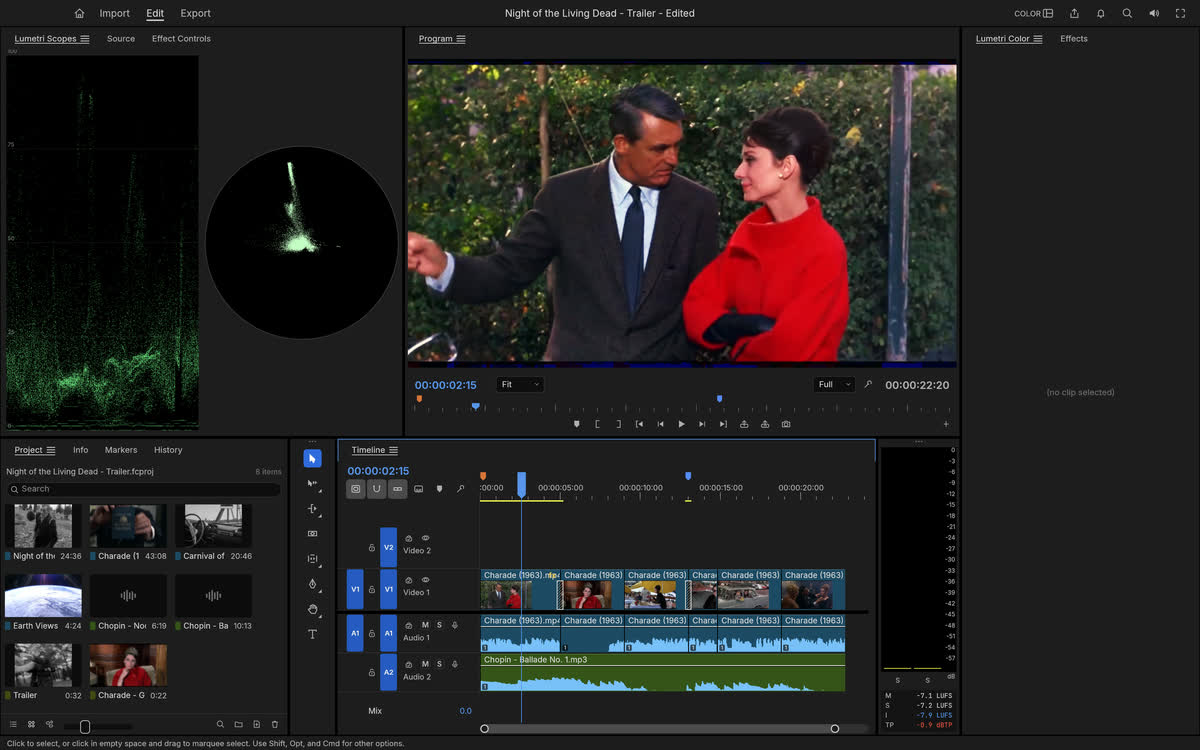
Runs 100% on your device via WebAssembly — zero files uploaded to any server.55 MB RUST · 210 MB RAM
02How to Open & Edit .MP4 / .MOV / PRORES
STEP 01
Install FilmCraft (32 MB)
Downloads in 3 seconds vs 5+ GB legacy installers.
STEP 02
Drop 4K phone, mirrorless, or screen recordings onto timeline
Ripple trim, J/K/L shuttle scrub, color grade, and mix audio.
STEP 03
Render clean 4K 60fps MP4 or ProRes with zero watermark
Full hardware acceleration.
Format Compatibility — .MP4 / .MOV / PRORES
- ✓Multi-track magnetic & freeform NLE timeline for .MP4 (H.264/HEVC/AV1), .MOV ProRes, and .MKV
- ✓Hardware GPU encode/decode (NVENC, Apple VideoToolbox, VAAPI) in a 32 MB binary
- ✓32-bit float color wheels, .CUBE LUTs, keyframe motion, and VST audio ducking
- ✓Zero export watermark, zero resolution cap, zero account sign-in
03Frequently Asked Questions
Does FilmCraft ever put a watermark on exported 4K videos?
Never. FilmCraft is 100% free open-source software — every resolution up to 4K/8K exports clean.
Related Workflows: