01LINUX NATIVE (.APPIMAGE & .TAR.GZ) · FIGCRAFT v0.9.0
FigCraft for Linux — Native Figma Alternative Without Wine
Run FigCraft v0.9.0 natively on Ubuntu, Fedora, Arch & Debian without Wine. Free open-source Rust + Vulkan Figma alternative with native .figcraft, .svg, .json support.
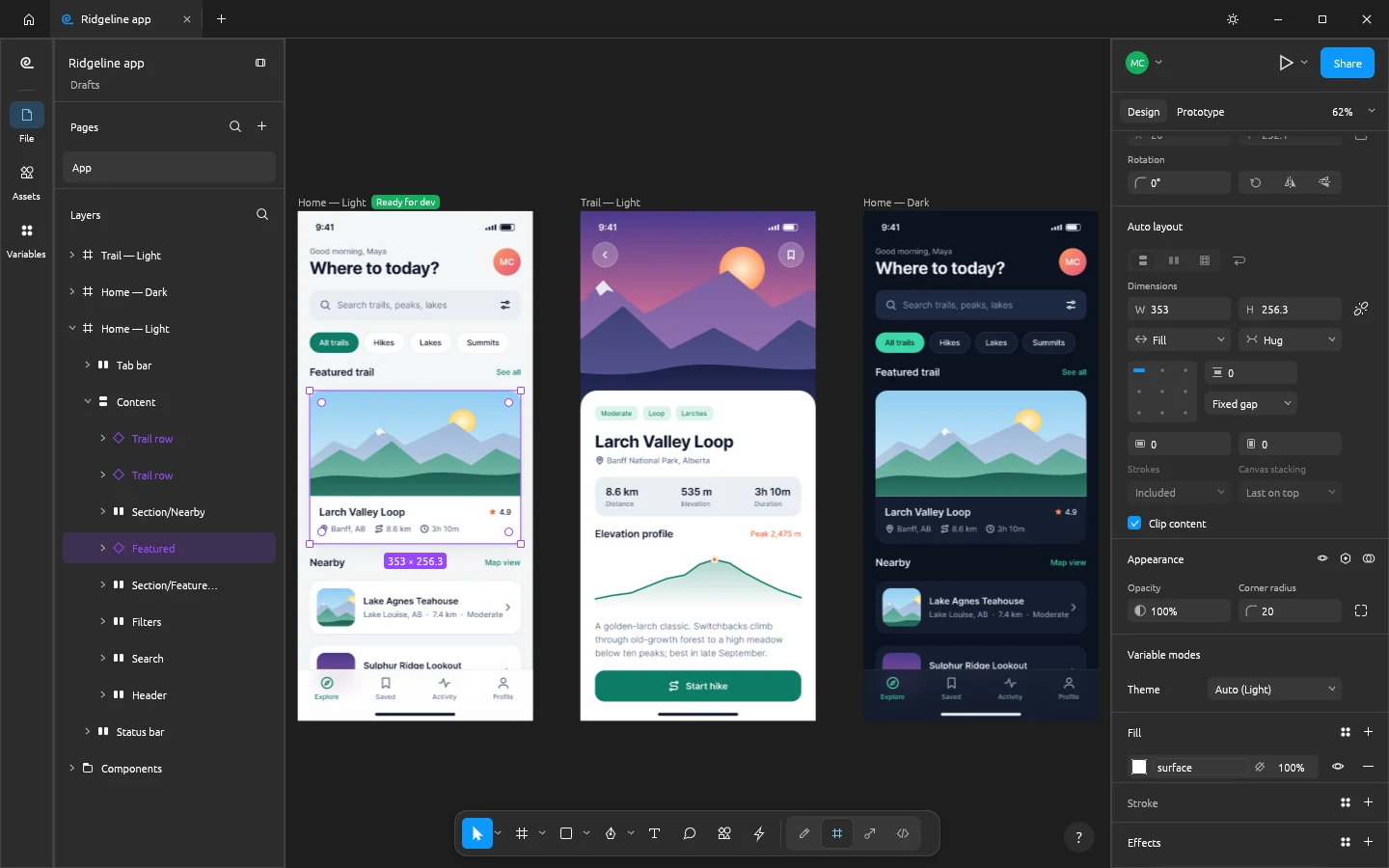
02VULKAN WAYLAND / X11 & DISTRO COMMANDS
FigCraft v0.9.0 Native Linux Capabilities
- ✓Frames, Auto Layout, reusable Components & Variants, design tokens, and interactive prototypes
- ✓100% local & offline native Rust app — no per-seat Dev Mode paywalls or cloud lock-in
- ✓Infinite 120 FPS GPU canvas handling 50,000+ UI layers without browser tab RAM crashes
- ✓Built-in bidirectional MCP bridge: Claude Code / Cursor can inspect and generate UI frames live
- ✓Clean React/Tailwind & CSS code inspection out of the box
Zero-Wine Native Vulkan Execution on Any Distro
Every studio compiles directly to native Linux ELF binaries (Wayland & X11). Use the portable .tar.gz on Ubuntu 22.04/24.04 without installing libfuse2, or chmod +x the .AppImage:
# Zero-FUSE Portable .tar.gz (Ubuntu 22.04/24.04, Debian, Fedora, Arch)
tar -xzf figcraft-0.9.0-linux-x86_64.tar.gz
./figcraft-0.9.0-linux-x86_64/bin/figcraft
Formats: .figcraft, .svg, .json → Export: .svg, .png, .webp, .pdf, .css, .tsx
03FAQ
Does FigCraft require Wine, Bottles, or Proton on Linux?
No. FigCraft is compiled natively for Linux (glibc x86_64 & ARM64) with Vulkan/OpenGL GPU acceleration, native Wayland/X11 windowing, and PipeWire/ALSA audio.
What if an .AppImage does not open on Ubuntu 22.04 or 24.04?
Ubuntu 22.04+ omits libfuse2 by default. Download the portable .tar.gz build (or install via the ArteCraft Linux launcher, which uses .tar.gz automatically) for instant zero-FUSE execution.