01MACOS UNIVERSAL .DMG · CADCRAFT v0.10.0
CADCraft for macOS — Free Native Autodesk AutoCAD Replacement on Apple Silicon & Intel
Download CADCraft v0.10.0 Universal .DMG for macOS. Free open-source Apple Silicon Metal GPU replacement for Autodesk AutoCAD supporting .dxf, .dwg, .step, .iges offline with $0 subscription.
02APPLE METAL & FORMAT SUPPORT
CADCraft v0.10.0 on macOS 12–15
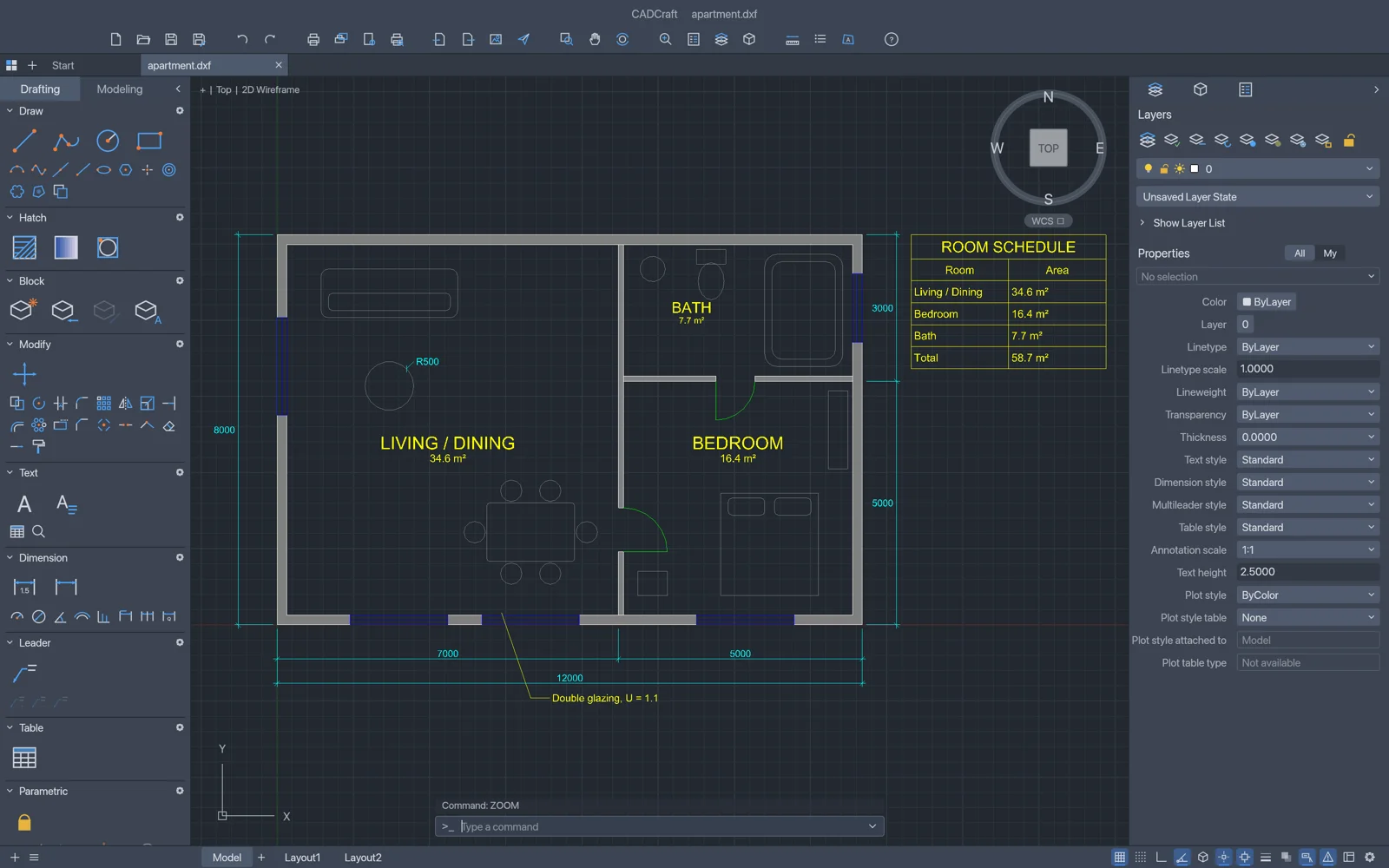
- ✓Replaces $2,000+/yr CAD subscriptions for 2D architectural, mechanical & electrical drafting
- ✓Command-line driven CAD snaps, layers, blocks, hatches, associative dimensions & paper space layouts
- ✓Reads and writes industry-standard DXF and DWG drawings offline
- ✓Zero Autodesk FlexLM background license daemons slowing down Windows
- ✓Parametric drawing automation via CLI & AI agent commands
First Launch on macOS (Apple Silicon & Intel)
Open the Universal .DMG, drag ArteCraft.app to /Applications, and clear the unsigned open-source quarantine flag once in Terminal if macOS Gatekeeper prompts:
# macOS Terminal (M1/M2/M3/M4 & Intel)
xattr -cr /Applications/CADCraft.app
open -a /Applications/CADCraft.app
Formats: .dxf, .dwg, .step, .iges → Export: .dxf, .dwg, .pdf, .svg, .plt
03FAQ
Does CADCraft run natively on Apple Silicon M1, M2, M3, and M4 Macs without Rosetta?
Yes. CADCraft ships as a Universal macOS binary containing native ARM64 machine code and Apple Metal wgpu shaders alongside x86_64 support for Intel Macs.
How do I bypass the macOS Gatekeeper warning on community open-source builds?
Right-click the app in /Applications and choose Open, or run xattr -cr /Applications/ArteCraft.app once in macOS Terminal.