01MACOS UNIVERSAL .DMG · LIGHTCRAFT v0.11.0
LightCraft for macOS — Free Native Adobe Lightroom Replacement on Apple Silicon & Intel
Download LightCraft v0.11.0 Universal .DMG for macOS. Free open-source Apple Silicon Metal GPU replacement for Adobe Lightroom supporting .cr3, .cr2, .nef, .arw, .raf, .dng, .orf, .rw2 offline with $0 subscription.
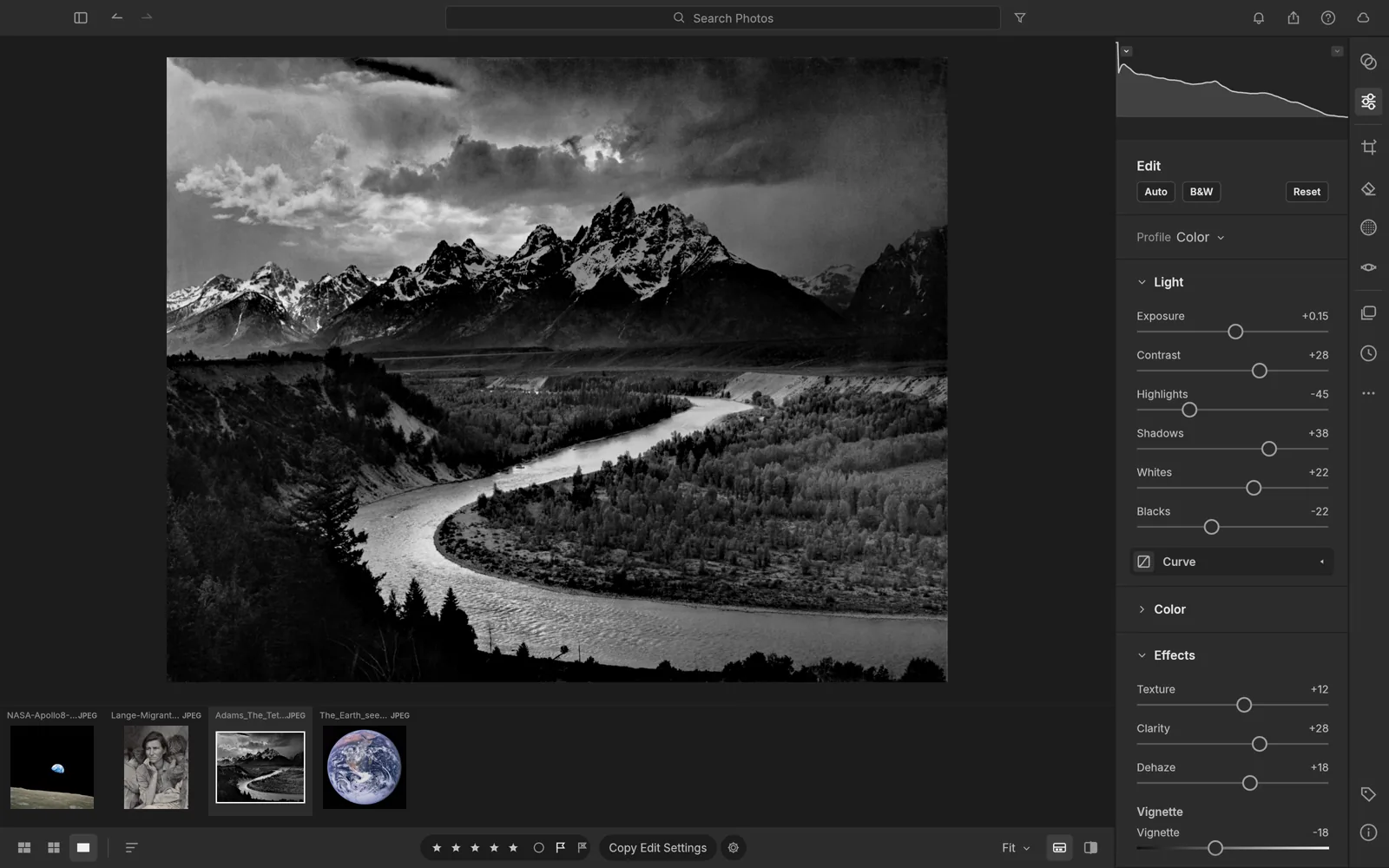
02APPLE METAL & FORMAT SUPPORT
LightCraft v0.11.0 on macOS 12–15
- ✓100% non-destructive RAW photo catalog & darkroom with GPU demosaicing
- ✓Tone curves, HSL color mixer, split toning, lens corrections & radial/linear masks
- ✓Local SQLite/XMP sidecar library — zero forced cloud storage quotas
- ✓Star ratings, flags, smart collections & instant batch preset syncing
- ✓Soft-proofing with full ICC color profile management
First Launch on macOS (Apple Silicon & Intel)
Open the Universal .DMG, drag ArteCraft.app to /Applications, and clear the unsigned open-source quarantine flag once in Terminal if macOS Gatekeeper prompts:
# macOS Terminal (M1/M2/M3/M4 & Intel)
xattr -cr /Applications/LightCraft.app
open -a /Applications/LightCraft.app
Formats: .cr3, .cr2, .nef, .arw, .raf, .dng, .orf, .rw2 → Export: .jpg, .tiff, .png, .webp, .dng, .avif
03FAQ
Does LightCraft run natively on Apple Silicon M1, M2, M3, and M4 Macs without Rosetta?
Yes. LightCraft ships as a Universal macOS binary containing native ARM64 machine code and Apple Metal wgpu shaders alongside x86_64 support for Intel Macs.
How do I bypass the macOS Gatekeeper warning on community open-source builds?
Right-click the app in /Applications and choose Open, or run xattr -cr /Applications/ArteCraft.app once in macOS Terminal.