01MACOS UNIVERSAL .DMG · VECTORCRAFT v0.14.0
VectorCraft for macOS — Free Native Adobe Illustrator Replacement on Apple Silicon & Intel
Download VectorCraft v0.14.0 Universal .DMG for macOS. Free open-source Apple Silicon Metal GPU replacement for Adobe Illustrator supporting .svg, .ai, .eps, .pdf offline with $0 subscription.
02APPLE METAL & FORMAT SUPPORT
VectorCraft v0.14.0 on macOS 12–15
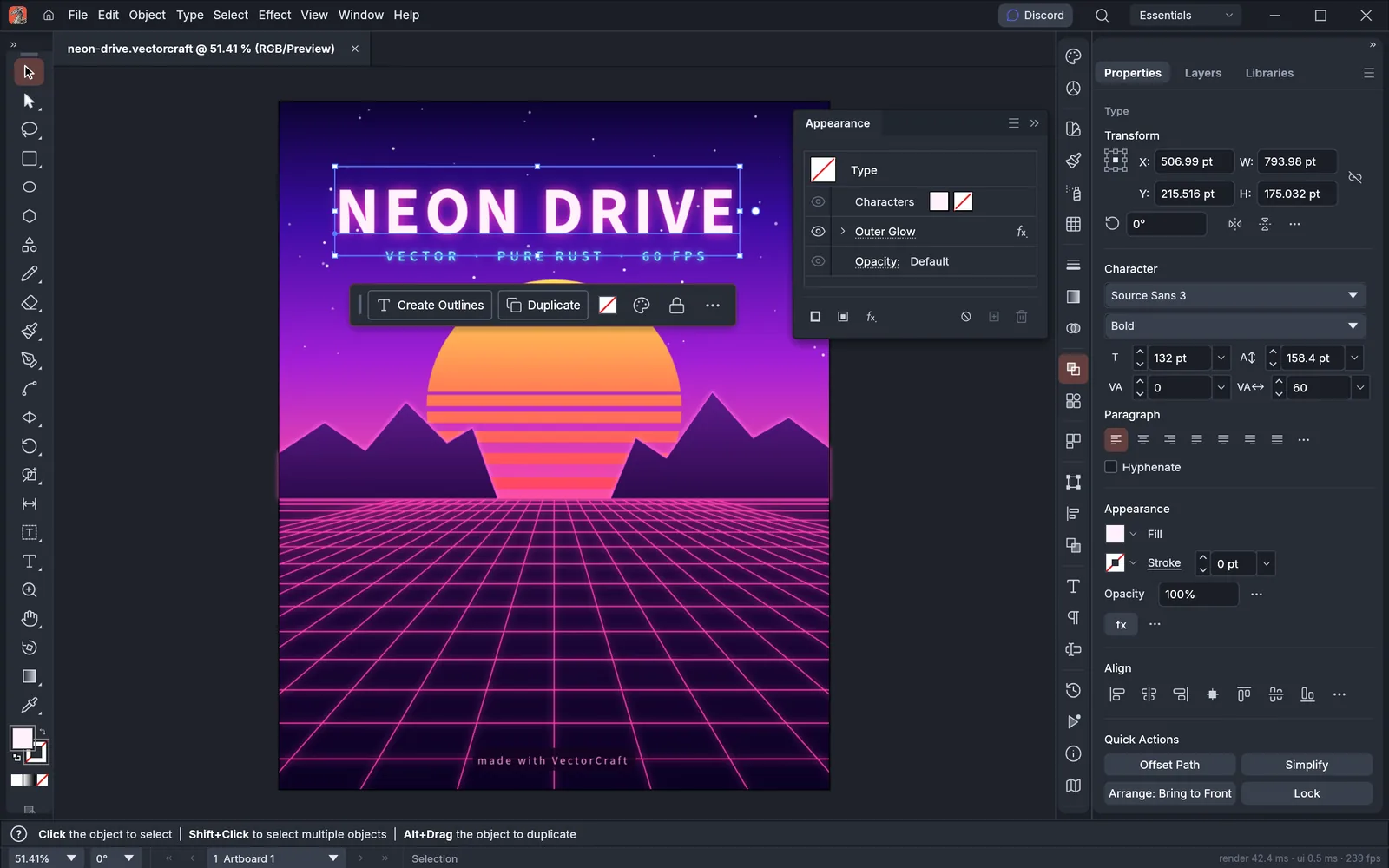
- ✓Precision Bezier Pen, Curvature, Pathfinder boolean ops & interactive Shape Builder
- ✓Multi-artboard workspace with CMYK spot colors, mesh gradients & appearance stack
- ✓Dimension tool for technical packaging + legacy .ai and clean .svg output
- ✓Full bidirectional typography (including Arabic/Hebrew) and text-on-path threading
- ✓88% of Illustrator core menu commands wired and responsive in pure Rust
First Launch on macOS (Apple Silicon & Intel)
Open the Universal .DMG, drag ArteCraft.app to /Applications, and clear the unsigned open-source quarantine flag once in Terminal if macOS Gatekeeper prompts:
# macOS Terminal (M1/M2/M3/M4 & Intel)
xattr -cr /Applications/VectorCraft.app
open -a /Applications/VectorCraft.app
Formats: .svg, .ai, .eps, .pdf → Export: .svg, .pdf, .eps, .png, .webp, .ai
03FAQ
Does VectorCraft run natively on Apple Silicon M1, M2, M3, and M4 Macs without Rosetta?
Yes. VectorCraft ships as a Universal macOS binary containing native ARM64 machine code and Apple Metal wgpu shaders alongside x86_64 support for Intel Macs.
How do I bypass the macOS Gatekeeper warning on community open-source builds?
Right-click the app in /Applications and choose Open, or run xattr -cr /Applications/ArteCraft.app once in macOS Terminal.